
Who sees whose sessions
Every piece of work in E1pi is a session: the question, every step the AI took, every file it read, the answer. Until today a session was visible to the person who ran it and to the admin. From today it can also be visible to the people who need to follow it, through Groups.
A group is a short list of names. It decides whose sessions appear on your home Jump List and in your Sessions tab, with the person's face on the row, so you always know whose work you are looking at.
Two kinds of group
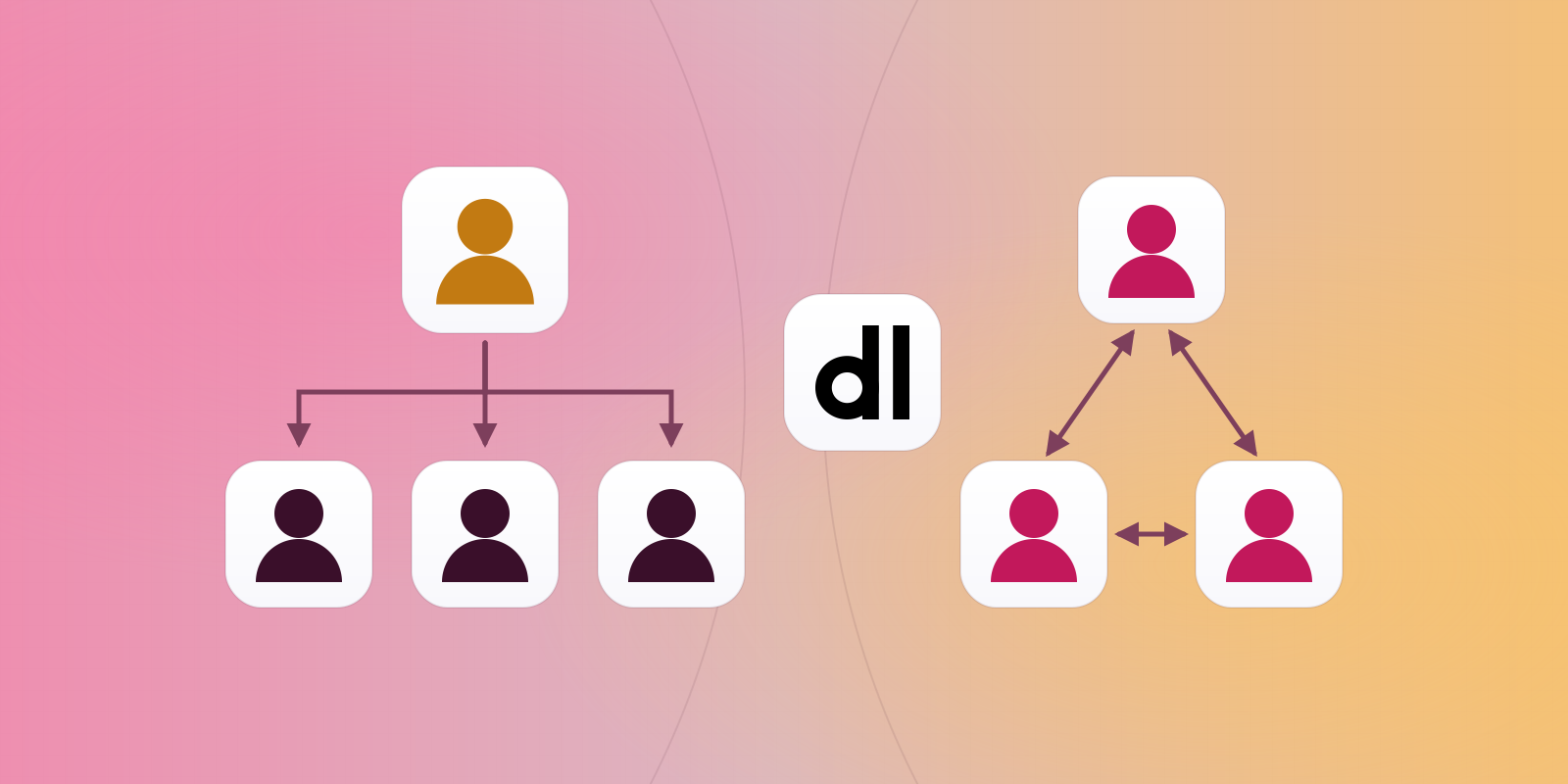
- Head group. One head and their team. The head sees every session of every team member. The team does not see the head's sessions, and team members do not see each other's. If a team member heads a group of their own, that team is visible to the head as well, all the way down.
- Peer group. No head. Everyone in the group sees everyone else's sessions. Use it for a function that works as one desk: accounts, sales, dispatch.
| You are | You see |
|---|---|
| The head of a head group | Every member's sessions, and the teams of any member who heads a group |
| A member of a head group | Your own sessions only |
| A member of a peer group | Every other member's sessions |
| In several groups | The union of all of them, each person listed once |
A person can be in any number of groups of both kinds, and head one while being a member of another. E1pi takes the union and lists each person once, however many groups connect you.
Set it up in a sentence
There is no settings page. You tell the AI in the chat, and it writes the group: "Create a head group Sales India with Pinal as head and Rahul and Arun as members." "Add Karuna to Vinit's team." "Make a peer group Accounts with Disha and Aesha." "Remove the Accounts group." "Who can see Karuna's sessions?"
Every change is a new line in an append-only register. Nothing is edited in place and nothing is deleted: the current state is the latest line for each group, and the full history stays underneath it. A group takes effect the moment it is written, with no restart; the people in it see the change on their next reload.
Adding someone who is already in the group changes nothing, and the AI says so. By design, only the head of a head group or the person who created the group can change or remove it. Anyone can ask what the groups are and who sees whom.
What you see, and what stays private
- On the home Jump List, your group's sessions sit among your own, newest first, with the member's face and a small people-group mark that tells you why the row is there.
- In the Sessions tab the same sessions are listed day by day, with every step the AI took.
- Open any of them, read the full context, and ask for the next step yourself.
- Private sessions are never shared. A session started in private mode stays with the person who started it, whatever groups they are in.
A head sees the team's work without asking for a report. The team keeps working.
Why we built it
Most of what a business head asks is "where is this?", "did anyone check that?", "what did the AI do with the supplier's bill?". With Groups the head opens the home screen and the team's sessions are already there: the bank statement being matched, the PO being checked against the quote, the expense claim half done. No status meeting, no screenshots.
For peers it is handover. When a colleague is away, their sessions are on your screen. You open one and continue from where it was left, with the context intact.
Getting it
Groups is part of E1pi today, on every workspace, with nothing to install. Ask the AI to create your first group. The person who runs E1pi for your company can see every session in any case; Groups is how the rest of the company gets the view it needs, and no more.
Run the business. Let E1pi run the back office. Read more at e1pi.com or open the app at ai.e1pi.com.