Three steps, one document
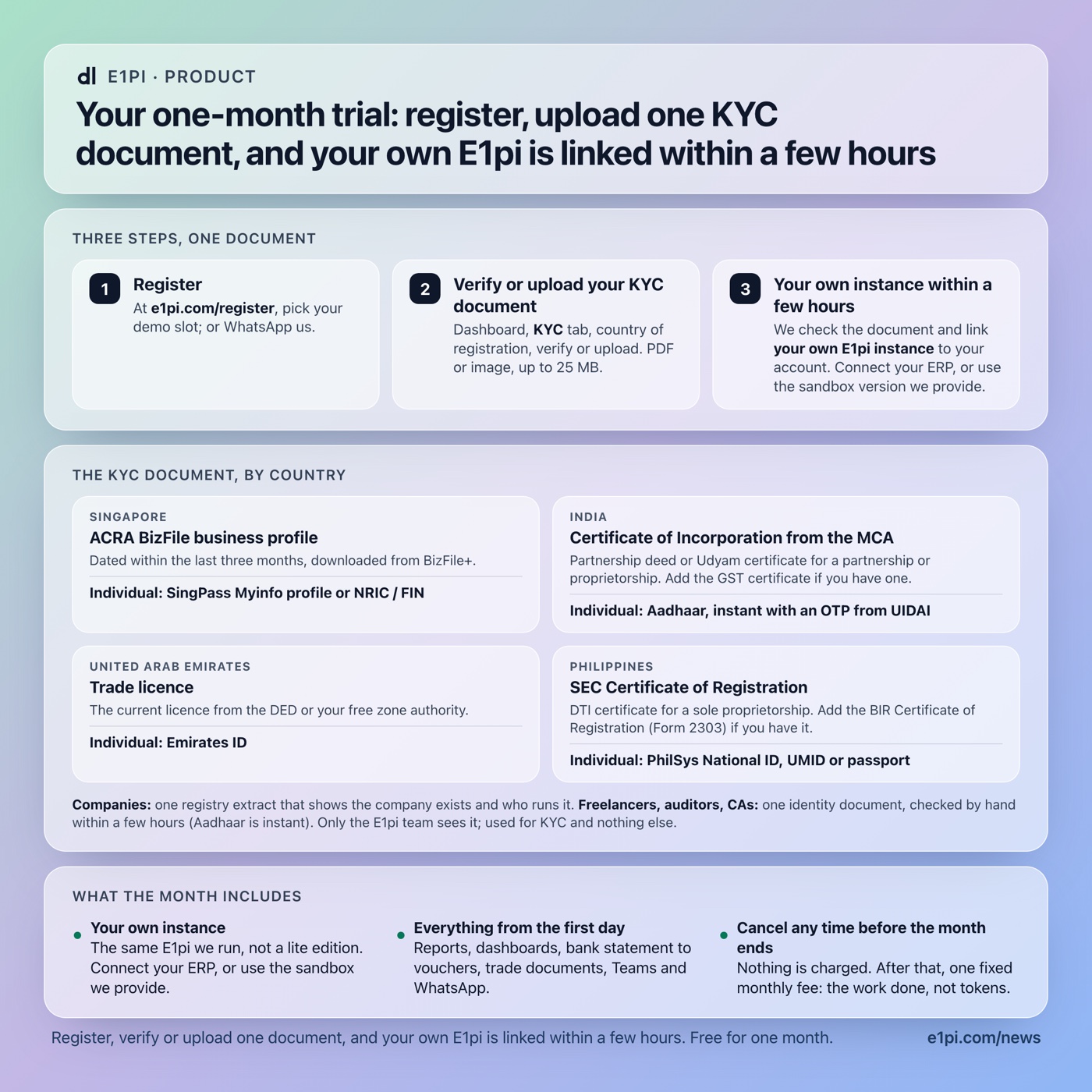
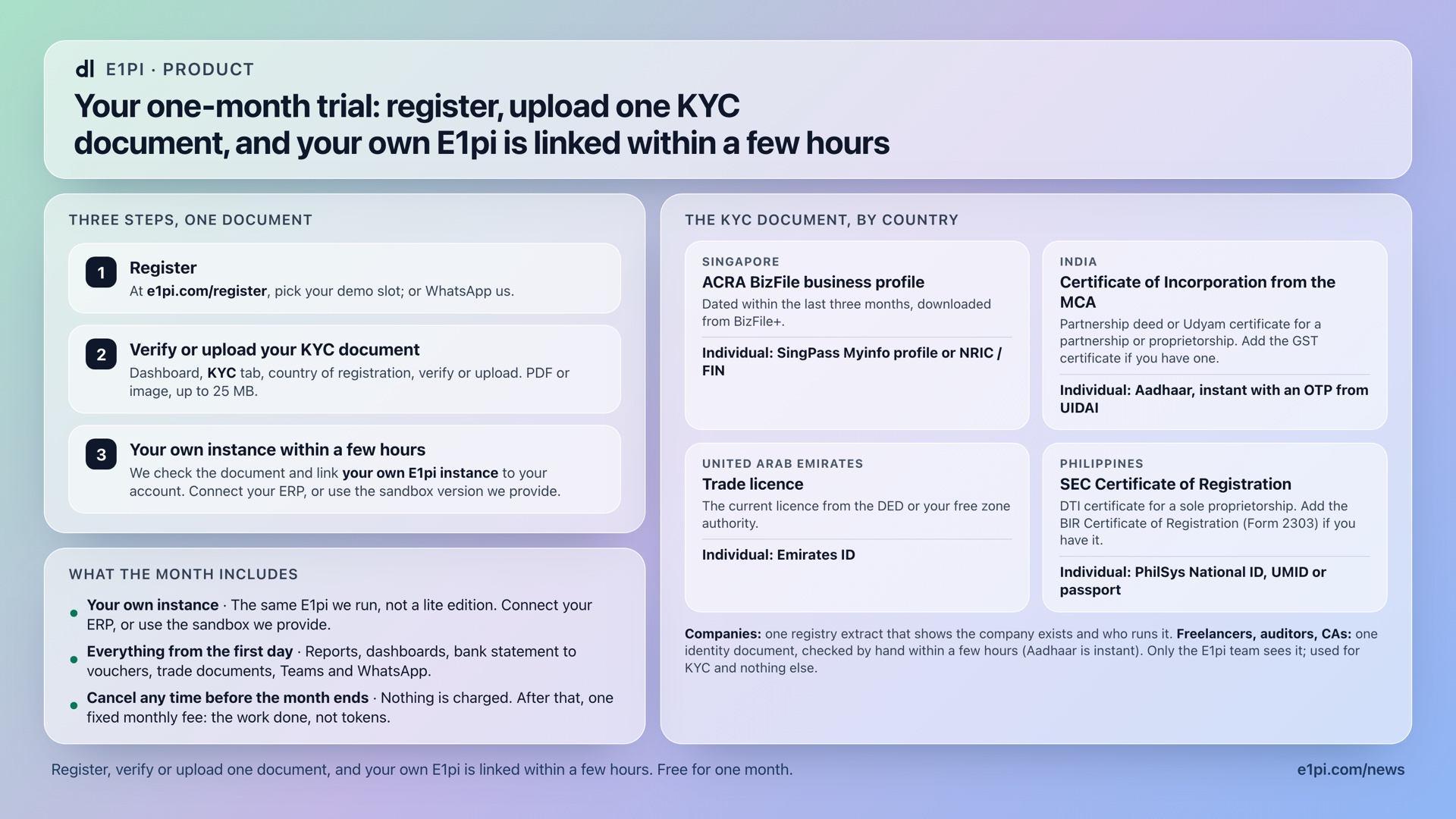
- Register. At e1pi.com/register, pick your demo slot; or WhatsApp us and we register you.
- Verify or upload your KYC document. On the dashboard, open the KYC tab, choose the country of registration and Business or Individual, then verify the document on file or upload it: a PDF or an image, up to 25 MB, more than one file if you need to.
- Your own instance within a few hours. We check the document and link your own E1pi instance to your account. From there you connect your ERP yourself, Tally Prime, SAP, QuickBooks, Zoho Books or a custom SQL system, or start on the sandbox version we provide. The dashboard shows the status at every step.
From registration to your own instance
1RegisterPick your demo slot at e1pi.com/register, or WhatsApp us.
2Verify or upload your KYC documentDashboard, KYC tab, country of registration, verify or upload. PDF or image, up to 25 MB.
3Your own instance within a few hoursConnect your ERP, or use the sandbox version we provide. Free for one month.
The KYC document, by country
We ask every company for one document: the registry extract that shows the company exists and who runs it. Freelancers, practising auditors, chartered accountants and other professionals verify as an individual instead, with one government identity document. In India that is instant: Aadhaar, confirmed with an OTP from UIDAI. Everywhere else the E1pi team checks the document by hand, usually within a few hours. Only the E1pi team sees it, and it is used for KYC and nothing else.
One document per country: the company registry extract, or an identity document for an individual
SingaporeACRA BizFile business profileDated within the last three months, downloaded from BizFile+ (bizfile.gov.sg).Individual: SingPass Myinfo profile or NRIC / FINYour Myinfo personal profile as a PDF, or the front and back of the card.
IndiaCertificate of Incorporation from the MCAFor a partnership or proprietorship, the partnership deed or Udyam certificate. Add the GST registration certificate if you have one.Individual: Aadhaar, instantEnter the number, confirm the OTP from UIDAI; or upload the card and we send the OTP after reading it.
United Arab EmiratesTrade licenceThe current licence from the DED or your free zone authority.Individual: Emirates IDFront and back of the current card. Add your freelance permit if you have one.
PhilippinesSEC Certificate of RegistrationFor a sole proprietorship, the DTI certificate of business name registration. Add the BIR Certificate of Registration (Form 2303) if you have it.Individual: PhilSys National ID, UMID or passportFront and back of the card, or the passport data page. Add your PRC licence if you practise professionally.
What the month includes
- Your own instance. The same E1pi we run ourselves, not a lite edition. Connect Tally Prime, SAP, QuickBooks, Zoho Books or a custom SQL system yourself, nothing to import; or start on the sandbox version we provide.
- Everything in it from the first day. Reports, the Sales and Finance dashboards, bank statement to vouchers, the trade documents from one PO, Teams and WhatsApp.
- Cancel any time before the month ends. Nothing is charged. After that, one fixed monthly subscription: you pay for the work done, not tokens.
Details you share are used only for the demo and KYC, nothing else. What data is shared with the AI, and what is not, item by item.
Run the business. Let E1pi run the back office. Register at e1pi.com/register, or read more at e1pi.com.